Credits Rules
Credits are MuleRun's usage units. More complex tasks, more execution steps, higher resource usage, and repeated retries may consume more Credits.
Where Can I Check Credits?
- Current balance: near the avatar in the top-right area.
- Detailed records: avatar ->
Settings -> Usage.
The Usage page shows credit grants, expiration, and consumption records.
Do Daily Credits Roll Over?
No. Daily Credits are valid only on the day they are granted. Unused daily Credits expire at the end of the day and do not roll over to the next day.
When Are Daily Credits Issued?
Daily Credits are issued gradually after the system refreshes. Not all users will see them at exactly the same time. If they do not appear immediately after the refresh time, check again later.
What Is the Free Plan Daily Credits Limit?
Free users have a monthly cap of 2,000 daily Credits per calendar month.
For example, if a Free user receives and uses 200 Credits per day from the 1st to the 10th, reaching 2,000 Credits in total, no additional daily 200 Credits will be issued for the rest of that month.
Paid subscription users are not subject to this 2,000-credit monthly cap, but daily Credits are still valid only for the day they are issued.
When Are Subscription Credits Issued?
Monthly subscription Credits are issued on your account's monthly subscription date, not on the 1st day of each month and not necessarily on the renewal payment date. As long as your subscription remains active, the system will automatically grant the monthly Credits for each cycle.
Monthly Credits expire each month and do not roll over to the next cycle. At the start of each new subscription cycle, your balance is reset to the plan's monthly Credits for that cycle; any unused Credits from the previous cycle are not carried over. To go beyond your plan's allowance, you can top up Credits separately (top-up Credits are valid for 2 years — see below).
Credit Consumption Order
If you have both daily Credits and subscription package Credits, daily Credits are consumed first.
Credit Top-Up
Credit top-up is available only to paid subscribers. The minimum top-up amount is 10 USD, which equals 1,000 Credits. Top-up Credits are valid for 2 years.
Why Did My Credits Decrease?
Common reasons include:
- Daily Credits expired because they were not used on the same day.
- Sign-up bonus Credits, referral reward Credits, and other campaign reward Credits are usually valid monthly and should be used before they expire.
- A task was still running in the background and continued consuming Credits.
- Scheduled tasks, automated workflows, or triggers were still enabled.
If you feel your Credits decreased even though you did not use them, first go to Settings -> Usage and check the specific deduction reason. The Usage page shows grant, expiration, and consumption records so you can tell whether the change came from task usage, campaign reward expiration, daily Credit expiration, or another reason.
Enterprise & Team Credits
Multi-person plans use a two-tier Credits model separate from personal plan credits.
| Validity & consumption order | Enterprise | Team | |
|---|---|---|---|
| Base Credits (2,000 / seat / month) | One month; refreshes each subscription cycle (subscription date, not calendar 1st); consumed first | Shared by all members | Each seat keeps its own |
| Top-up Credits (purchased extra) | Team: 1 year; Enterprise: from purchase date to end of the annual subscription cycle; consumed after Base runs out | Shared by all members | Admin allocates to specific seats |
| Management capability | Set org / department / member usage caps | Distribute purchased Credits to individual seats |
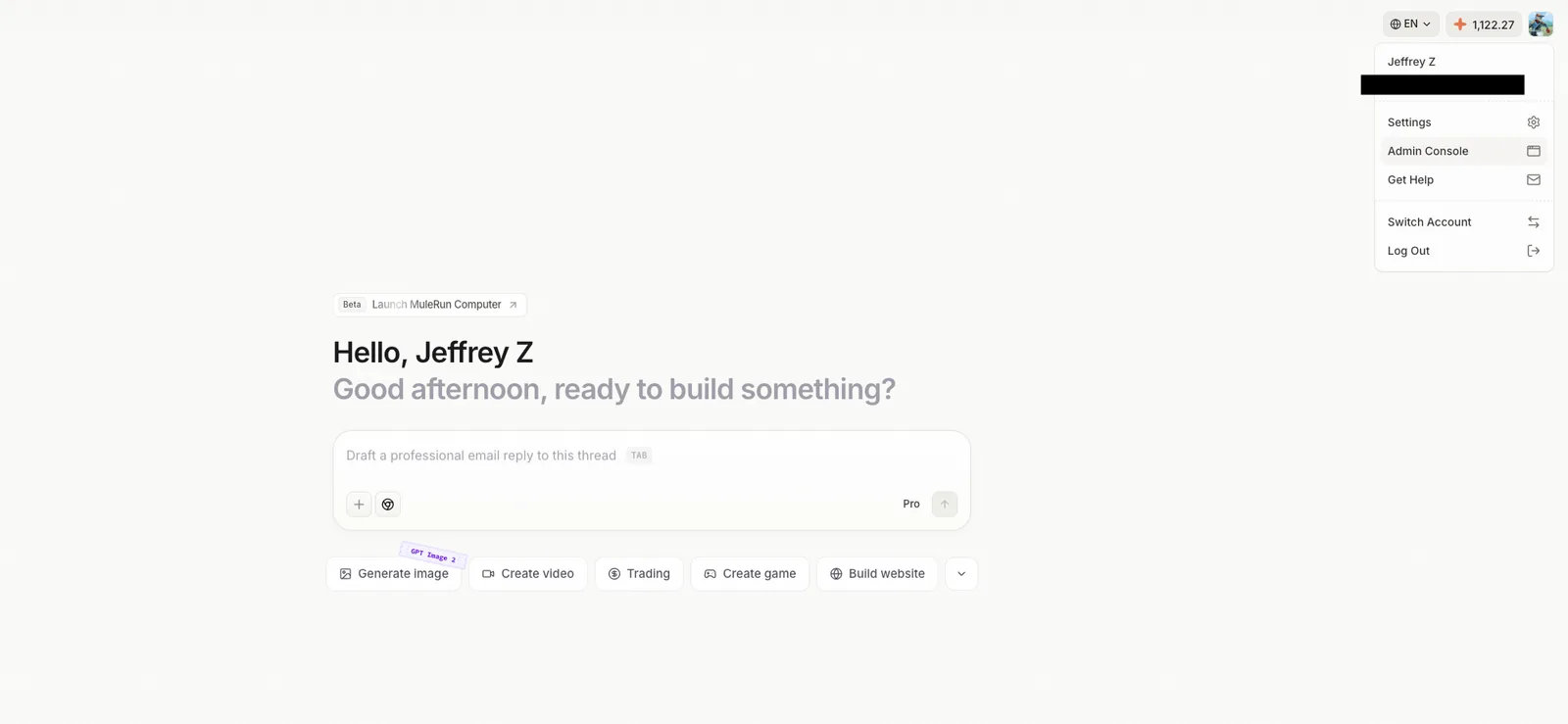
To access Credits management, click your avatar in the top-right corner to open the Admin Console.
Enterprise Credits Management
Enterprise Top-up Credits are purchased through the Alibaba Cloud Marketplace.
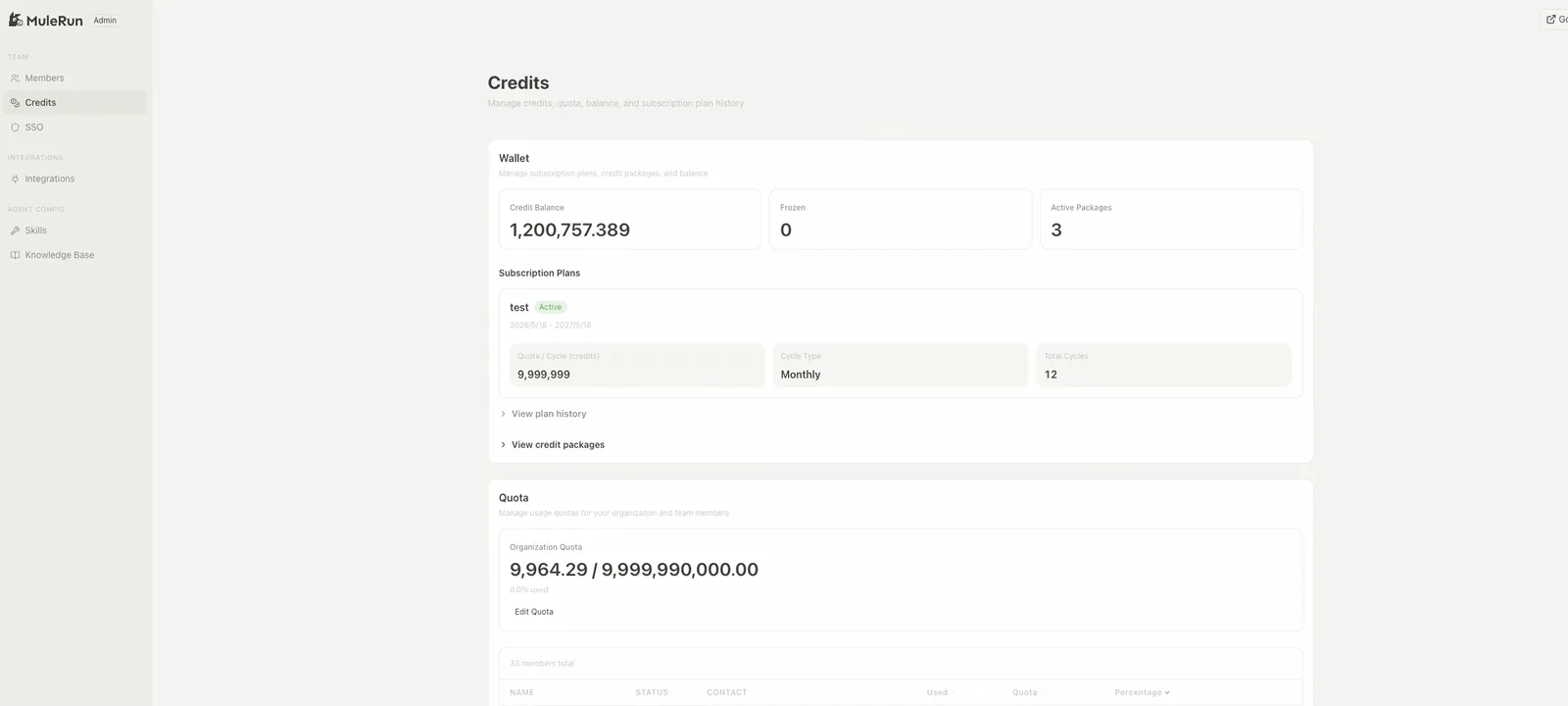
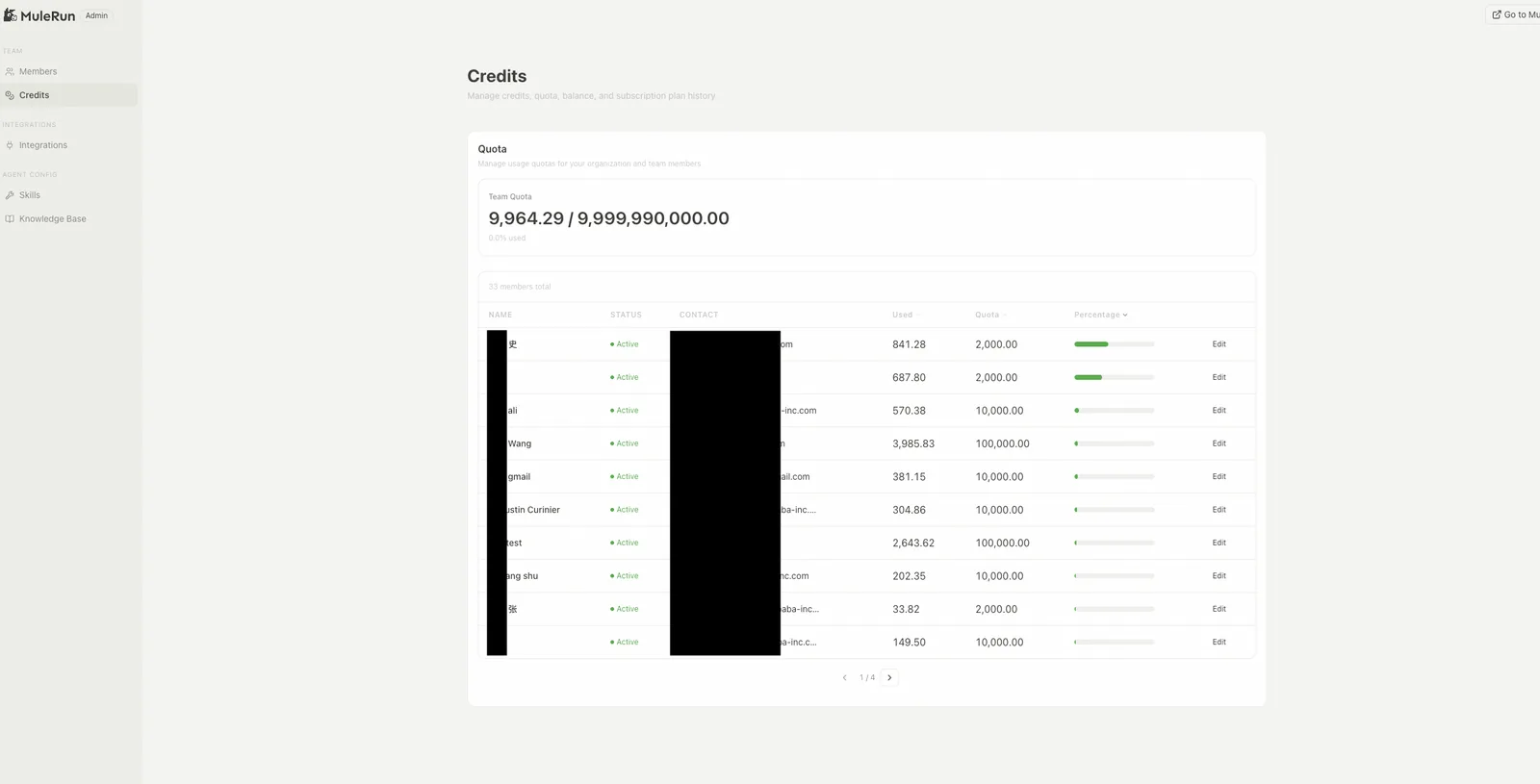
Quota is the monthly usage cap for the current subscription cycle; it resets the following month. The hierarchy is individual ≤ department ≤ organization.
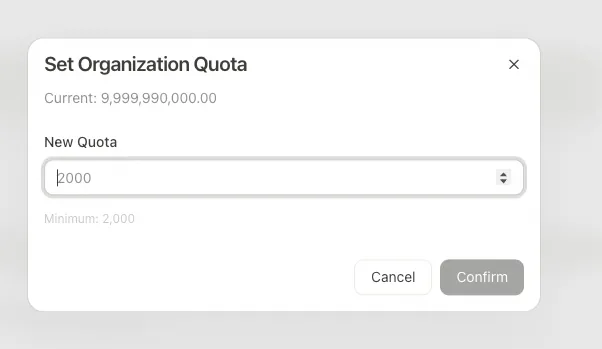
Organization quota — Super Admin only. Go to adminconsole/credits and click Edit under Organization Quota to set the org-wide cap. Department quotas can be set on the same page.
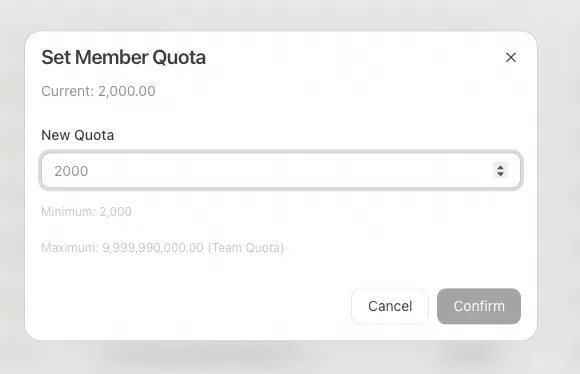
Per-member quota — Super Admin or Admin. On the same adminconsole/credits page, click Edit next to any member to adjust their monthly usage cap.
Team Credits Management
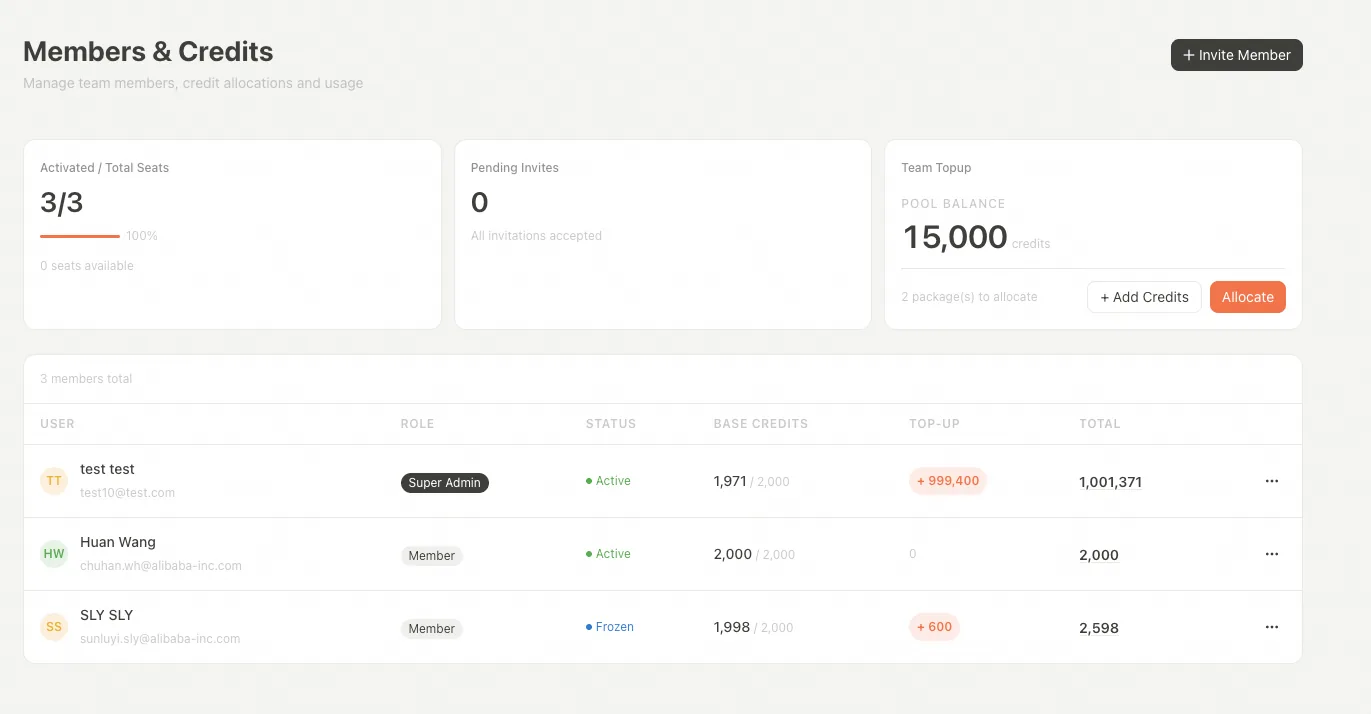
Team admins manage Credits from Admin Console → Members & Credits.
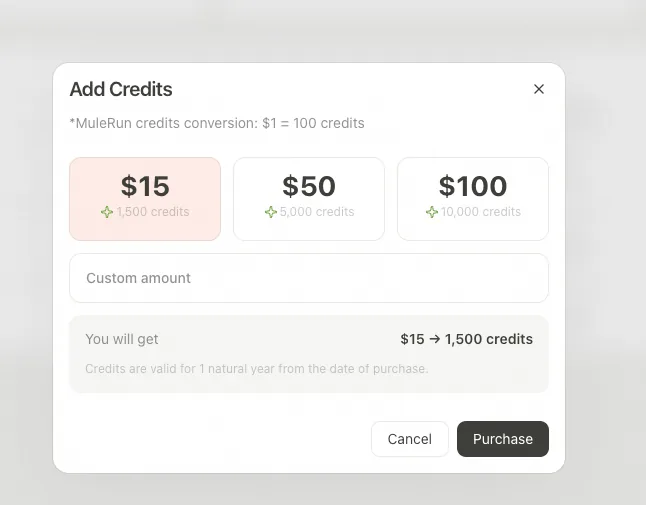
Buying extra Credits: go to Admin Console → Members & Credits and click Add Credits, choose the amount, and confirm payment ($1 = 100 Credits; valid for 1 year). Credits can also be added by redeeming an activation code from the Alibaba Cloud Marketplace.
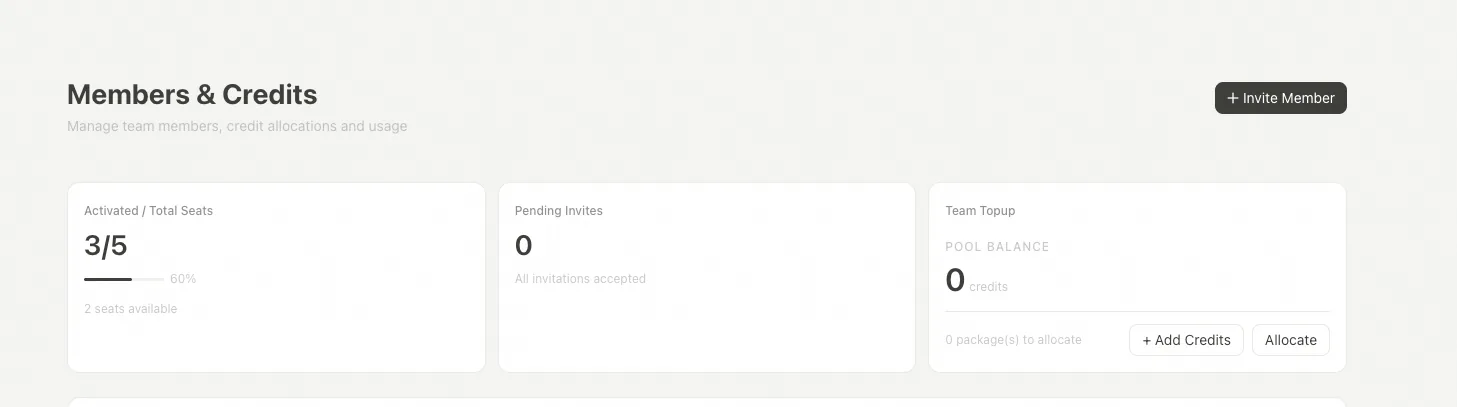
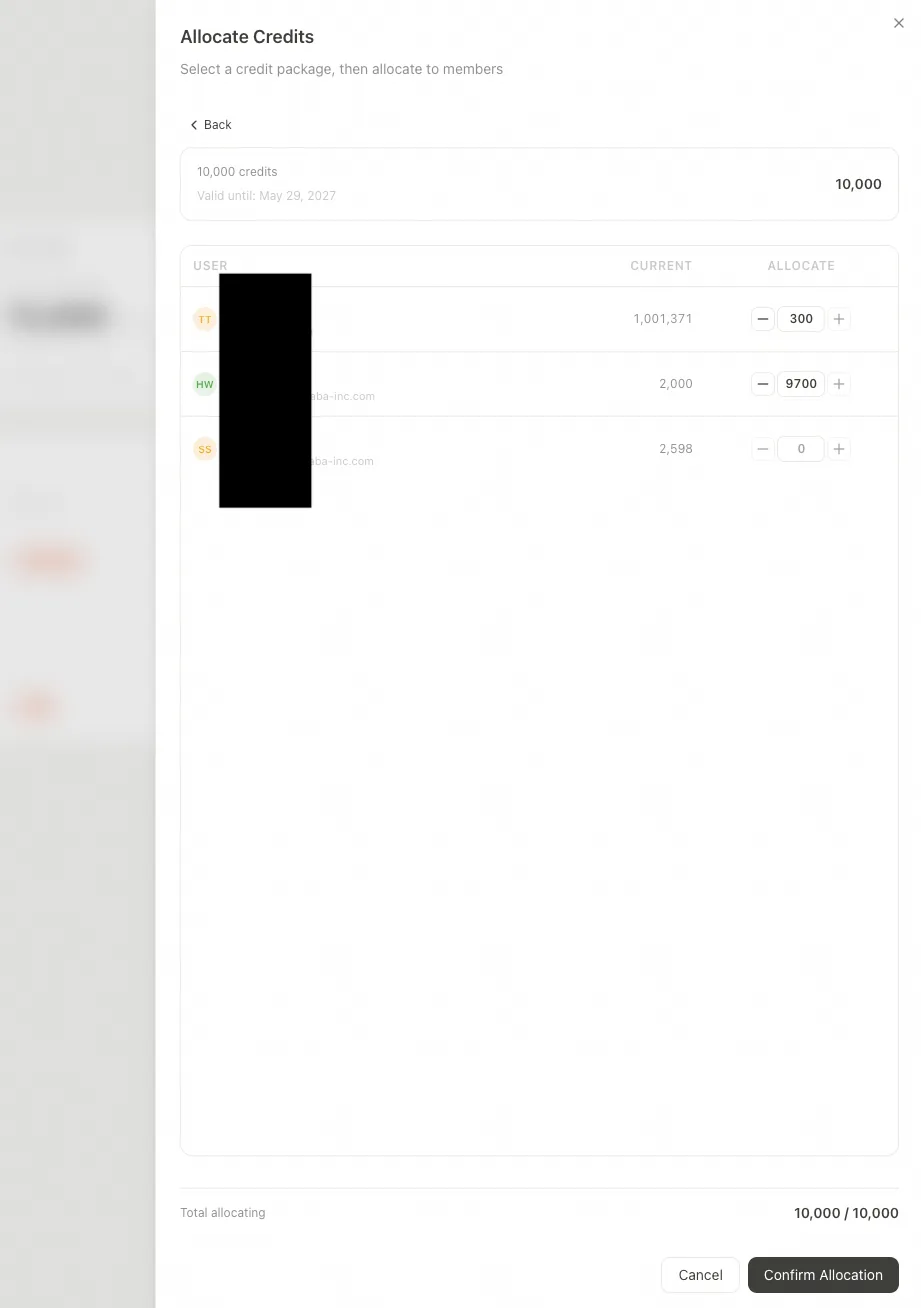
Allocating Credits: click Allocate. Each purchase creates one Credits package that must be fully distributed in a single allocation — partial allocations are not supported.
Select one active Credits package from the list.
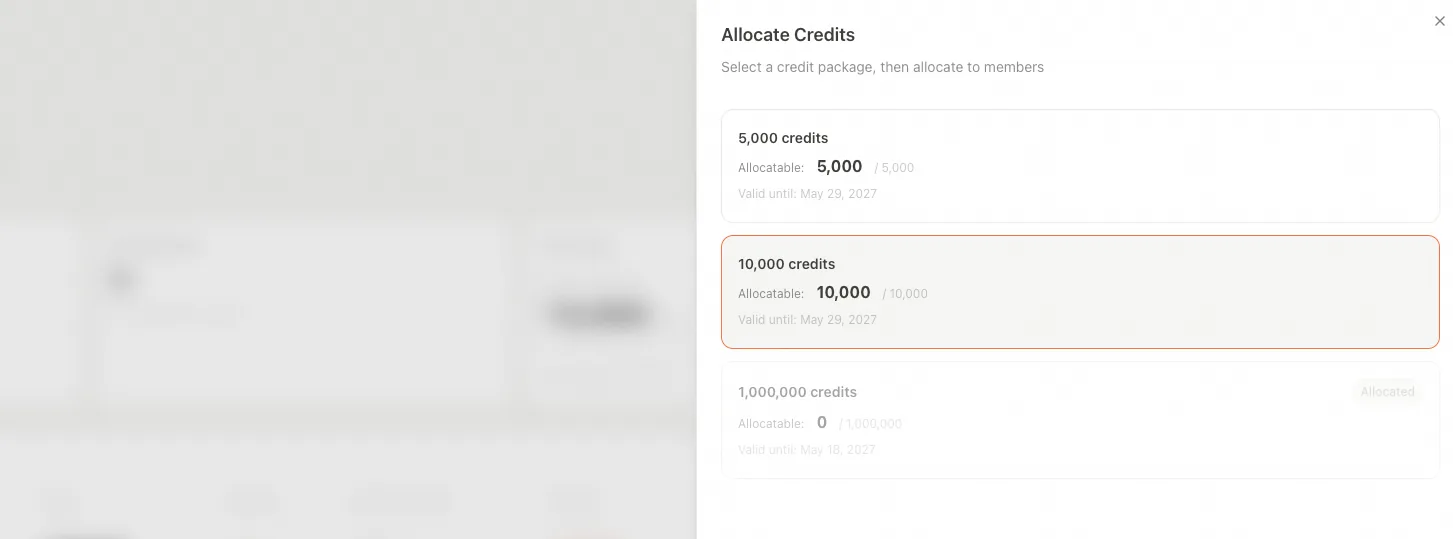
Choose the distribution method and confirm.